Read more of what you save

Save Posts from X.
Read on Your Schedule.

One click to save. Timeitt auto-schedules reading sessions on your Google Calendar — so you actually read what you save.

x.com
Sahil Bloom
Sahil Bloom@SahilBloom

Consumption Time is where new ideas for creation and growth are originally planted — reading, listening, studying. It's the forgotten type of time because we rarely create space for it. Schedule one short block per week for Consumption.

Naval
Naval@naval

Read what you love until you love to read.

Reading Sessions

Your posts, beautifully organized with AI summaries

Every reading session gets its own page with an AI-powered summary that explains each author’s style and why their post matters.

Timeitt
Sunday, March 8, 2026 · 5:37 PM · 5 posts · 15 min
Entrepreneurship
Tim Denning
Tim Denning@Tim_Denning

If you want to see what you're capable of in life, start a business. Not for the money. For the personal transformation that happens when everything depends on you.

Mar 8, 2026View on X
AI
Ai With Piyas
Ai With Piyas@Aiden_Tech_Ai

BREAKING: AI can now build you a complete website in 2 hours (for free). Here are the 7 tools that make it possible:

Mar 8, 2026View on X
Summary

This reading session captures two distinct perspectives on personal growth through technology and entrepreneurship. Tim Denning frames business creation not as a financial pursuit but as a vehicle for self-discovery — the kind of insight that resonates with anyone who's felt the pull of building something from scratch.

Meanwhile, Piyas highlights how AI tools are democratizing web development, making it accessible to creators who previously needed technical expertise. Together, these posts paint a picture of a world where the barriers to creation are falling fast.

Features

Built to fit
into your day

Reading session

Today at 17:00 · 15 min · 5 posts

View in Calendar
@SahilBloom

The 4 types of professional luck (and how to create your own):

Saved
@naval

How to get rich without getting lucky: Seek wealth, not money or status.

@JamesClear

Every action you take is a vote for the type of person you wish to become.

Your Week in Review

Hi Jose, here’s how your week went.

16
Posts Saved
6
Sessions
90
Minutes Read
Top Authors
@SahilBloom5 posts
@JamesClear4 posts
@naval3 posts
@hubaborsolya2 posts
@david_perell2 posts
You’re receiving this because you have weekly recap notifications enabled. Unsubscribe
Save from your iOS/Android X App
Auto-scheduled to your calendar
Chrome Extension

Save posts with one click

A Timeitt icon appears on every tweet. Click it to save any post instantly — no copy-pasting, no switching tabs. Open the panel on any page to manage your saved posts.

Smart Emails

Stay on track with smart reminders

Get a daily digest at 9 AM, a reminder 30 minutes before each session, and a weekly recap with your reading stats. Every email includes a preview of what you'll read.

Save from X App

Save from your iOS/Android X App

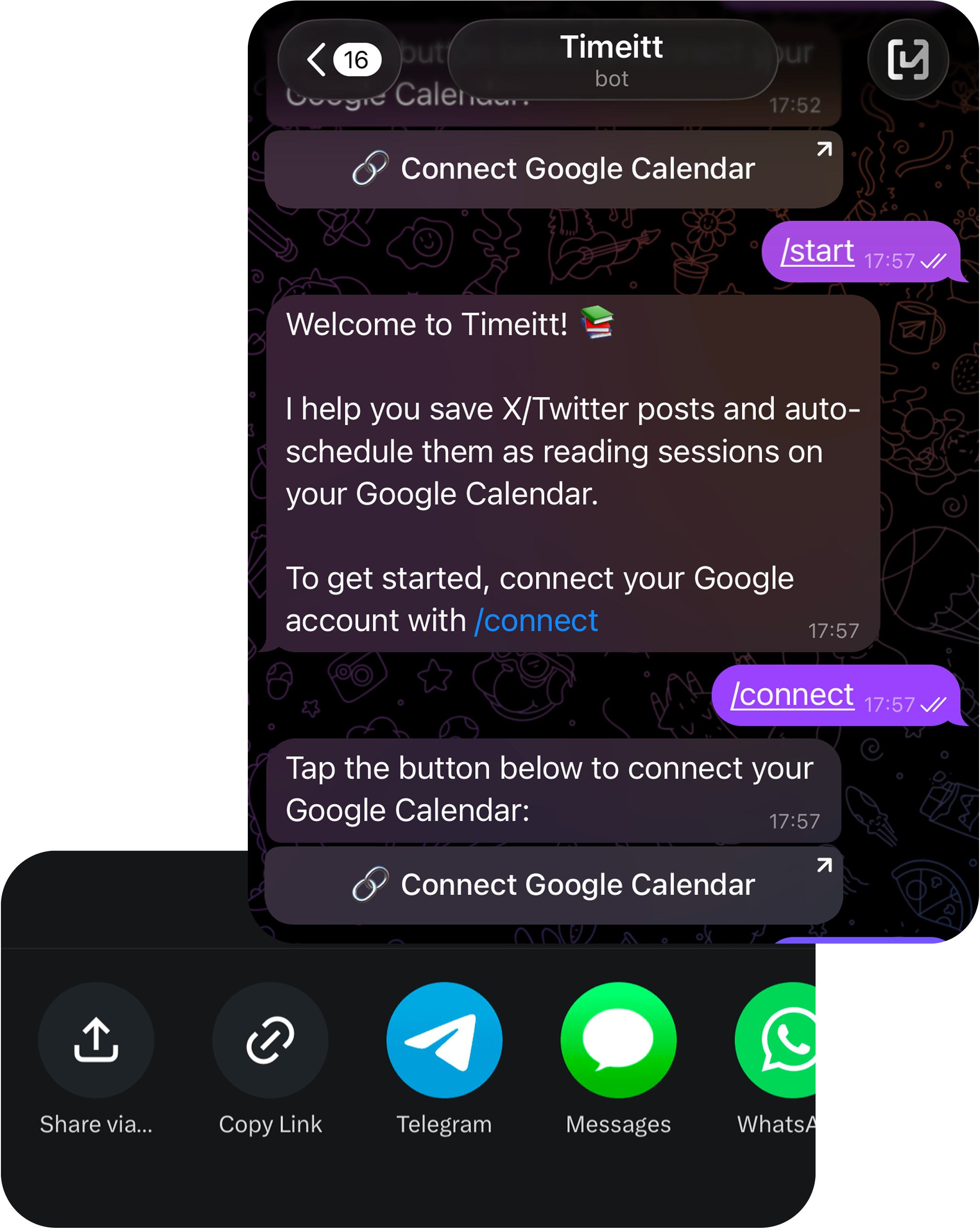
See an interesting tweet on mobile? Share the link to the Timeitt Telegram bot. It saves the post and extracts the content — same auto-scheduling, no extension needed.

Auto-Scheduling

Auto-scheduled to your calendar

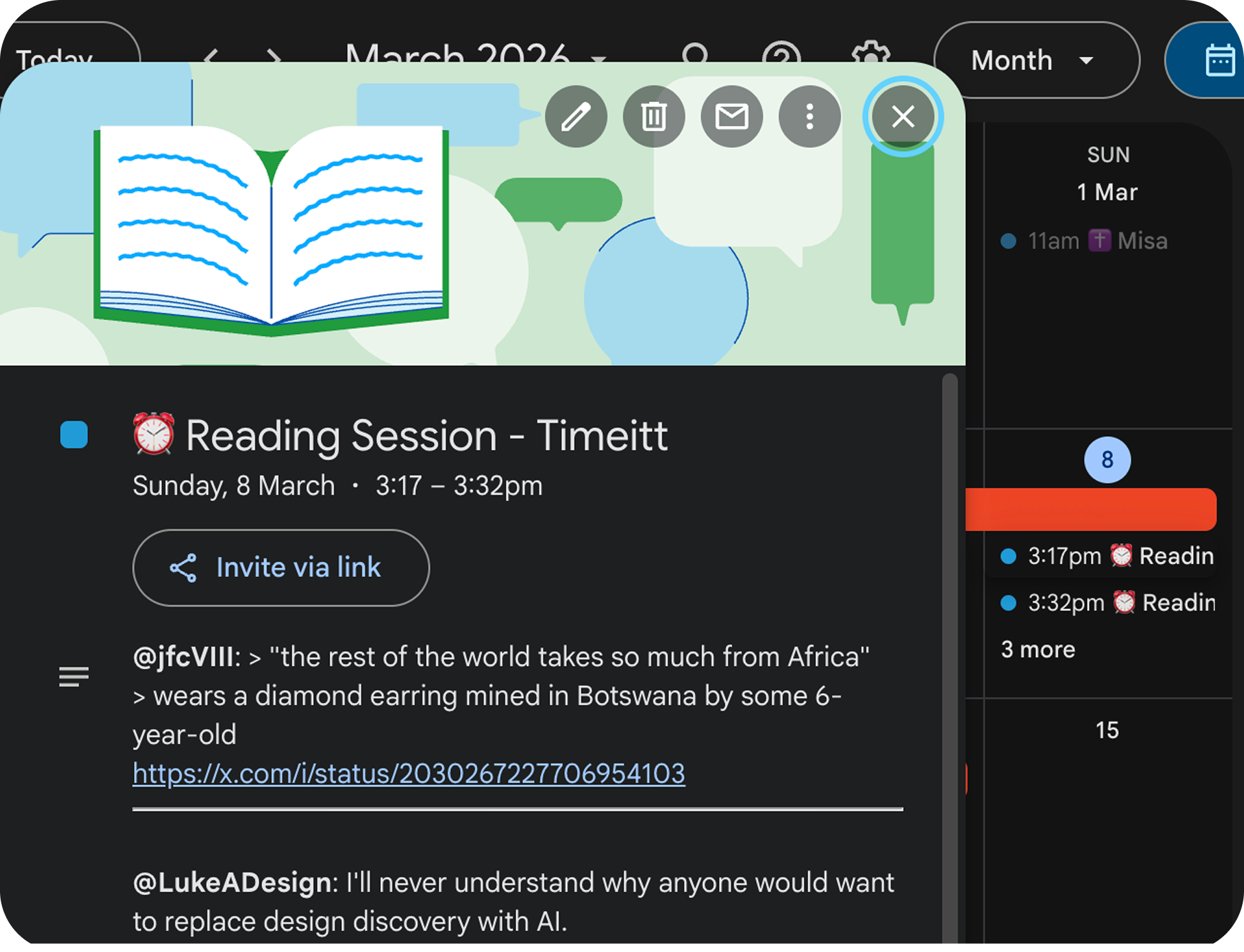
Save 5 posts and Timeitt finds a free 15-minute slot in your Google Calendar — starting today, or tomorrow if today is full, up to 3 days ahead. It respects your existing schedule and preferred reading times. Apple Calendar coming soon.

How it works

Three steps to never
lose a post again

No more bookmarking into the void. Save, schedule, read.

STEP 01

Save from anywhere

Click the Timeitt icon on any tweet in Chrome, or forward a post to our Telegram bot from your phone. Save from desktop or mobile — no switching apps.

STEP 02

Auto-scheduled to your calendar

Timeitt finds free slots in your Google Calendar and creates 15-minute reading sessions — no manual work needed.

STEP 03

Actually read what you save

Get a calendar reminder, open your session, and read your curated posts. No more infinite bookmark graveyards.

Telegram Bot

Save from your phone.
Just send a link.

Forward any tweet to the Timeitt Telegram bot. It saves the post, extracts the content, and auto-schedules it — all from a chat.

Timeitt
Timeitt Bot
online
Y
You10:32 AM
https://x.com/SahilBloom/status/1836029519837...
Timeitt
Timeitt Bot10:32 AM
Saved! “The 4 types of professional time...” by @SahilBloom
You have 4 saved posts. Save 1 more to trigger auto-scheduling.
Y
You10:33 AM
https://x.com/naval/status/1002103360646...
Timeitt
Timeitt Bot10:33 AM
Saved! “Read what you love until you love to read.” by @naval
5 posts reached — reading session scheduled for today at 2:00 PM (15 min)
Paste a tweet link...
1

Open the Timeitt bot on Telegram

Search @TimeittBot or tap the link. Connect your Google account with /connect.

2

Forward or paste a tweet link

Share any X post URL directly in the chat. The bot extracts the tweet content automatically.

3

Auto-scheduled after 5 posts

Once you hit 5 saved posts, Timeitt finds a free slot in your calendar and creates a reading session.

FAQ

Common questions

A reading session is a 15-minute block on your Google Calendar containing 5 saved posts. Think of it as a curated mini-reading list — instead of doom-scrolling, you sit down at a scheduled time and read through the posts you actually wanted to save. Timeitt creates these sessions automatically as you save posts.

Every time you reach 5 unscheduled saved posts, Timeitt automatically finds a free 15-minute slot in your Google Calendar — starting today, up to 3 days ahead — and creates a reading session. It respects your existing schedule and preferences — no manual planning needed.

Yes, Timeitt has a generous free tier with unlimited saves, 1 session/day, and email notifications. We also offer a Pro tier ($3/mo) with analytics, configurable sessions, and more. No credit card required to get started.

Yes. While the save icon appears directly on tweets when you're on X.com, you can open the Timeitt panel on any website by clicking the extension icon. You can also save tweets from your phone by sending links to the Timeitt Telegram bot — same auto-scheduling, no extension needed.

We store your saved tweet URLs, basic profile info from Google (name, email), and scheduling preferences. We never read your DMs, access your X account, or share your data with third parties. You can delete your account and all data at any time from Settings.

Pricing

Less than a coffee.
More than a bookmark.

Free
$0/forever
Unlimited saves
1 session/day
Schedule up to 3 days ahead
Daily digest email
Session reminders
Coming soon
Pro
$3/mo

First 10 get Pro free forever

Everything in Free
AI session summaries
2+ sessions/day (configurable)
Analytics dashboardSOON
Weekly analytics reportsSOON
Custom session durationSOON
Export & historySOON

Stop saving. Start reading.

Join thousands of readers who finally found a way to read what they save on X.